
Basic Principles of Graphics and Layout:
Balance – it is the visual weigh of objects, texture, colors, and space is evenly distributed on the screen.

Emphasis – an area in the design that may appear different in size, texture, shape or color to distract the viewer’s attention.
Movement – how the eye moves through the composition leading the attention of the viewer from one aspect to another.
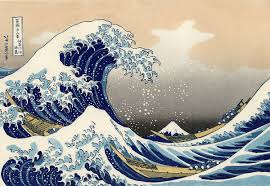
Pattern, Repetition, and Rhythm – these are the repeating visual element on an image or layout to create unity in the layout or image. Rhythm is achieved when visual elements create a sense of organized movement.
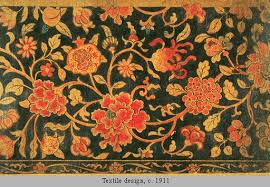
Proportion – visual elements create a sense of unity where they relate well with one another.
.
Variety – this uses several design elements to draw a viewer’s attention

Infographics
- Visual presentations of information that ise the element of design to display content.
- Express complex messagesto viewers in a way that enhances their comprehension.
- Basically using pictures, objects, and images in a way for the viewers to easily understand the message of a topic.
Reasons to use Infographics:
- To communicate a message
- To present in a way that is compact and easy to comprehend.
- To analyze data in order to discover cause-and-effect relationships.
- To periodically monitor the route of certain parameters.
3 Elements of Infographics:
- Visual Elements which includes color coding, graphics, and reference icons.
- Content Elements which includes time frames, statistics and references; and
- Knowledge Elements which consist of facts.
Types of Infographics:
- Cause and Effect Infographics – infograpics that show the cause and effects of certain topics.
- Chronological Infographics – usually used to show a topic in a chronological or a step-by-step sequence.
- Quantitive Infographics – used to show statistics like charts, bar graphs, etc.
- Directional Infographics – similar to chronological infographics where you use arrows to direct the viewers attention to another aspect of the infographic.
- Product Infographics – used to promote products and services.
Here are some Tips for Creating Infographics:
- Simplicity Rocks. Keep the infographic simple so it wont be an eyesore to the viewers
- Nothing takes effect without a cause. This just means that you need to show the viewers the cause of the topic before discussing the effect of said topic.
- Draw your Boundaries. Just don’t overdo the pictures or images or it will look like a collage that looks like vomit.
- Think in Color. Match the colors in your infographic like making the text in white in a dark background and vice versa.
- Layout is not just Typography.
- Make it Appealing. Of coarse make it look good so it would attract and keep the viewer’s attention.
- Be Verifiable. And finally, the facts in the infographic should be verified and confirmed that the they are indeed true.
 Falls' blog